


By Shah Teelani & Associates | Dubai, UAE
Knowing how to apply for TRC in Dubai correctly separates a clean seven-day approval from a rejection that delays your treaty claim by months. Every stage of the process now happens online through the UAE Federal Tax Authority portal. However, what you prepare before logging in matters just as much as what you submit inside the portal. This guide covers all seven steps, required documents, fees, processing timelines, and how to respond when the FTA raises queries.
What Is a TRC and Why Does Applying Correctly Matter?
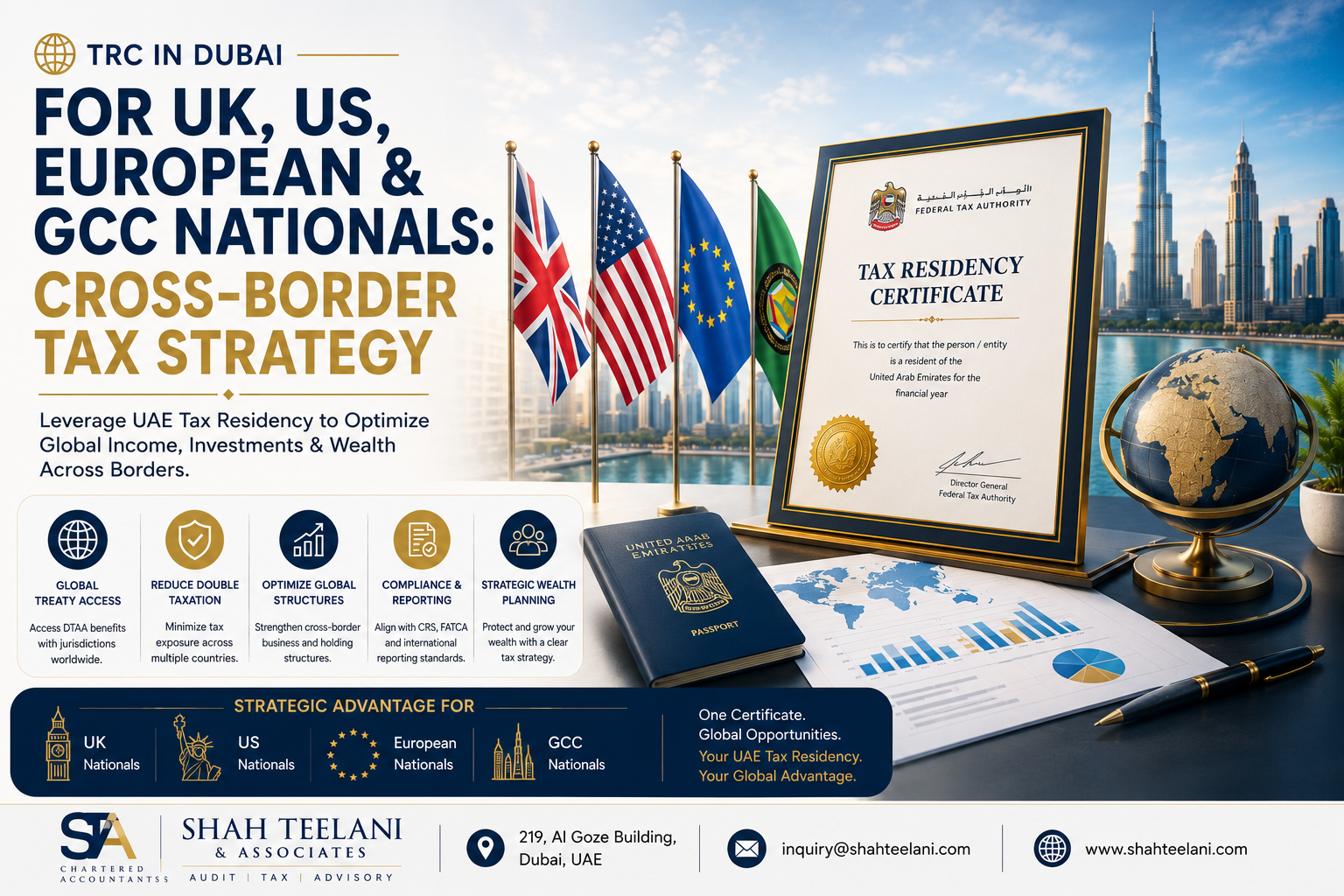
An official document issued by the Federal Tax Authority, the Tax Residency Certificate confirms that an individual or company qualifies as a UAE tax resident for a defined financial year. Consequently, holders gain access to Double Taxation Avoidance Agreement benefits, cross-border treaty claims become supportable, and international compliance requirements are satisfied.
Many applicants treat this as a routine filing. However, the FTA runs a substantive eligibility assessment — not a document-count exercise. Physical presence, business substance, document consistency, and identity are all cross-checked against UAE government records. Therefore, applicants who submit without adequate preparation consistently receive queries, delays, and in some cases outright rejection.
Pre-Application Checklist: Confirm These Before You Start
Resolving the points below before opening the FTA portal prevents the most common and avoidable rejection causes.
Individuals must confirm:
- Physical presence satisfies the threshold — 183 days under the primary rule, or 90 days under the alternative rule per UAE Cabinet Decision No. 85 of 2022
- A valid UAE residence visa is currently in place
- A genuine, documented UAE residential address exists
Companies must confirm:
- Operational history of at least one year
- A valid, current trade licence
- Demonstrable UAE economic substance
All applicants must confirm:
- Every required document is assembled, valid, and clearly scanned
- Name, address, and identification numbers match consistently across all documents
- The specific treaty country for which the TRC will be used has been identified
- UAE Corporate Tax registration details are current for company applicants
Sorting these issues before starting means the portal process runs without interruption from start to finish.
The Seven Steps to Apply for TRC in Dubai
Step 1: Register or Log In to the FTA E-Services Portal
Every part of the process to apply for TRC in Dubai runs through the FTA’s official e-services portal. Returning users simply log in with existing credentials — the TRC service appears under “Other Services” on the main dashboard. Moreover, corporate accounts already registered for VAT or Corporate Tax often find company details pre-populated, which reduces data entry time.
New users must register first. Registration requires a valid email address, a secure password, and email confirmation. Corporate applicants also enter their UAE tax registration details during this stage.
For business applications, choose a primary company email address rather than a personal one. All FTA correspondence — approvals, query letters, and certificate notifications — goes to that address. Therefore, whoever monitors that inbox must stay attentive throughout the entire review period.
Step 2: Choose the Correct Applicant Category
Three separate application pathways exist within the TRC service. Selecting the right one matters because each pathway triggers different eligibility criteria, form fields, and document requirements:
- TRC for Individuals — employed professionals, investors, freelancers, and any natural person establishing personal UAE tax residency
- TRC for Legal Persons — mainland companies, free zone entities, holding companies, and all other UAE-registered corporate bodies
- TRC for Government Entities — UAE federal or emirate-level government bodies requiring formal residency confirmation
Choosing the wrong category sends your application through the wrong eligibility framework. As a result, the application requires withdrawal and resubmission, adding significant delay. Confirm the correct category before proceeding.
Step 3: Fill In the Online Application Form
Accuracy at this stage is critical. Every field in the form must match the supporting documents precisely — even minor formatting differences between the form and a passport or trade licence trigger FTA queries.
Individuals provide:
- Full legal name exactly as written on the passport
- Passport number and expiry date
- Emirates ID number and expiry date
- Residence visa number, category, and expiry date
- UAE residential address as registered on the Ejari tenancy contract
- Financial year for which the TRC is requested
- Treaty country or countries where the certificate will be used
- Nature of UAE income — employment, business, or investment
Companies provide:
- Full registered legal name as it appears on the trade licence
- Trade licence number, issuing authority, and expiry date
- Certificate of incorporation number and date
- Registered UAE office address
- Description of business activities
- Relevant financial year
- UAE Corporate Tax registration number
- Authorised representative contact details
Work directly from source documents rather than from memory. For this reason, having every document open alongside the form before starting reduces errors considerably.
Step 4: Upload the Required Supporting Documents
Following form completion, the portal requests document uploads. This stage determines more than any other whether the application proceeds cleanly or attracts queries. Document quality, completeness, and internal consistency all feed directly into the FTA’s review decision.
Individuals upload:
- Passport — all personal information pages
- UAE residence visa — type, issue date, expiry, and sponsor details clearly visible
- Emirates ID — front and back, currently valid
- ICP entry and exit report — official immigration movement record confirming UAE physical presence
- UAE bank statements — most recent six months, from a UAE-licensed institution, showing regular transactional activity
- Residential address proof — Ejari-registered tenancy contract or property ownership document
- Income proof — salary certificate or employment letter for employed applicants; trade licence and contracts for self-employed applicants
Companies upload:
- Trade licence — current and valid for the relevant financial year
- Certificate of Incorporation — most recent version issued by the UAE registration authority
- Memorandum and Articles of Association — current, signed, reflecting up-to-date ownership structure
- Passport copies — for all shareholders and directors
- Audited financial statements — for the relevant year, signed by a UAE-registered auditor
- Corporate bank statements — most recent six months from the UAE business account
- Office lease — Ejari tenancy, free zone office agreement, or property ownership evidence
- Board resolution — authorising the application and naming the authorised signatory
Upload technical standards:
- PDF format preferred for multi-page documents; JPEG or PNG for single pages at minimum 300 DPI
- All text, stamps, seals, and signatures must be fully legible
- File names should be descriptive — for example, “Passport_Ahmed.pdf” or “AuditedAccounts_FY2025.pdf”
- Documents in languages other than English or Arabic require a certified translation
Step 5: Pay the Application and Issuance Fees
Once all documents are uploaded, the portal moves to the payment stage. Submitting payment formally lodges the application and triggers the FTA review — nothing begins until payment clears.
Two fees apply: an application processing fee paid at submission, and an issuance fee of AED 500 paid upon approval. Both go through the portal payment system. Save the confirmation receipt generated after each payment — this serves as proof of lodgement and a reference point if questions arise during the review. Importantly, a payment receipt confirms the review has started, not that approval has been granted.
Step 6: The FTA Reviews and Verifies the Application
After payment, the FTA conducts its review. Applicants wait during this stage — however, staying attentive remains important because the FTA may issue queries requiring a response within a defined timeframe.
During the review, the FTA:
- Cross-checks applicant identity against UAE government records including ICP immigration data and Emirates ID records
- Verifies whether the physical presence threshold is satisfied for individual applicants
- Confirms trade licence status, Corporate Tax registration, and operational history for company applicants
- Reviews all uploaded documents for quality, completeness, and consistency with the form data
- Evaluates the credibility of substance evidence — residential address and banking patterns for individuals; office premises and financials for companies
When the FTA sends a query:
Respond only to what has been asked — do not submit unsolicited documents or over-explain. Match the format and quality of any additional documents to the originals already submitted. Furthermore, if the query touches a substantive eligibility question such as physical presence adequacy or business substance, seek professional advice before responding. Log into the portal dashboard regularly to track real-time status updates throughout the review period.
Step 7: Download the Issued Certificate
Upon approval, the Tax Residency Certificate is issued electronically through the FTA portal. If the AED 500 issuance fee has not yet been paid, settle it immediately — the certificate is not released until this payment clears.
Download the certificate directly from your portal account. Digitally authenticated with the FTA’s official seal and signature, it is fully valid in electronic form for submission to foreign tax authorities, financial institutions, and treaty claim processes. Physical printed copies are available through the portal for an additional fee — useful when a specific overseas authority requires a hard copy rather than a digital submission. Confirm the required format with the recipient before ordering.
Processing Timelines: What to Expect
| Application Type | Typical Timeframe | Determining Factor |
|---|---|---|
| Complete, well-organised | 5–7 working days | No queries raised; all documents accepted first time |
| Minor queries raised | 10–15 working days | One clarification round requested by FTA |
| Substantive issues identified | 15–30 working days | Multiple information requests; complex residency checks |
| Deficient application | Rejection and restart | Incomplete documents or eligibility not established |
Submission quality is therefore the single most controllable factor in processing speed. Well-prepared, consistent applications process faster every time. For treaty claims where withholding tax must be applied before a specific transaction date, build at least four to six weeks of lead time before that date.
Validity, Renewal, and a Common Misunderstanding
Each TRC covers one specific financial year. If residency confirmation is required for a subsequent year, a fresh application must be submitted. Apply for the correct year from the outset — attempting to retroactively support a past treaty claim with a wrongly dated certificate creates avoidable complications.
Worth noting separately: individual and corporate TRCs are entirely distinct instruments. Corporate certificates do not extend to shareholders or directors personally. Personal certificates, meanwhile, carry no weight in establishing corporate tax residency. Where both are required, each must be applied for and maintained independently.
Three Practical Scenarios
Scenario 1 — Employed individual, first-time applicant
Priya is an Indian national employed at a Dubai multinational. Her ICP movement report shows 218 UAE days in the relevant year. With all documents assembled — passport, visa, Emirates ID, ICP report, six months of Emirates NBD statements, an Ejari contract, and a salary certificate — she creates an FTA account and selects the individual pathway, referencing India as the treaty country. After uploading clearly named PDFs and paying both fees, her TRC arrives in seven working days. She submits it to her Indian fund manager to support correct NRI tax withholding treatment.
Scenario 2 — Corporate applicant, no queries
James is a British founder running a Dubai mainland consultancy from a Business Bay office with four local staff. Logging into his existing FTA Corporate Tax account, he selects the legal persons pathway. After uploading the DED trade licence, Certificate of Incorporation, MOA, two director passport copies, audited FY2025 accounts, six months of ADCB corporate statements, the Ejari office lease, and the board resolution — with the UK referenced as the treaty country — the application processes without queries. His TRC is issued within ten working days.
Scenario 3 — Individual applicant, FTA query
Marco is an Italian investor applying for a TRC to support a capital gains treaty claim with Germany. Upon review, the FTA raises a query noting only 159 UAE days in the primary period. Within five working days, Marco responds by demonstrating eligibility under the 90-day alternative rule — supported by evidence of a permanent UAE home, a UAE freelance licence, six additional months of bank records, and a continuity letter from his UAE-registered accountant. Subsequently, the FTA accepts the response and issues the TRC within eight further working days.
Six Mistakes That Cause Rejection When You Apply for TRC in Dubai
Despite understanding the process, many applicants still encounter problems. These six errors cause the majority of delays and rejections:
- Submitting before confirming eligibility — the FTA cross-checks physical presence against ICP records; a shortfall results in immediate queries or rejection
- Document mismatches — name formatting differences, address inconsistencies, or date discrepancies between the form and uploaded files
- Wrong applicant category — choosing individual instead of corporate or vice versa requires full withdrawal and resubmission
- Unaudited or incorrectly dated financials — corporate applications with non-compliant financial statements attract consistent rejection
- Missing the AED 500 issuance fee — overlooking this payment after approval holds up certificate release indefinitely
- Applying for the wrong financial year — particularly common when applicants try to retroactively support a past treaty claim
How Shah Teelani & Associates Can Help You Apply for TRC in Dubai
Understanding how to apply for TRC in Dubai is straightforward in theory. In practice, however, eligibility gaps, document issues, and FTA queries derail applications that seemed well-prepared at the point of submission.
At Shah Teelani & Associates, our qualified CPAs and international tax professionals provide:
- Pre-application eligibility assessment to identify and resolve risks before submission
- Complete document review and preparation for individual and corporate applications
- End-to-end FTA portal filing and submission management
- Professional FTA query response drafting and supporting document preparation
- DTAA advisory and cross-border tax planning coordinated with TRC timing
Ready to apply for TRC in Dubai without the risk of rejection? Contact Shah Teelani & Associates before you start.
Key Takeaways
- Applying for TRC in Dubai runs entirely through the FTA e-services portal across seven defined steps
- Eligibility confirmation before applying is non-negotiable — the FTA verifies presence and substance against government records
- Document completeness, accuracy, and internal consistency determine whether the application proceeds cleanly
- Well-prepared submissions process in 5–7 working days; queries add 10–30 days depending on complexity
- Individual and corporate TRCs are separate — both require independent applications where needed
- Build at least four to six weeks of lead time before any transaction or payment date that depends on the TRC
Shah Teelani & Associates | 219, Al Goze Building, Dubai, UAE | inquiry@shahteelani.com
